






Live now in Kafr El-Sheikh

Book your turn at the doctor…
and follow it live from your phone

Book in seconds, know exactly when you’ll go in, and keep your whole medical file in your pocket.

In 90 seconds

Watch Tabibo

Scroll down and the phone turns

Tabibo
One system

Patient, doctor and clinic… on the same file, for the first time

Every booking, prescription and lab result is kept in one place and reaches the right person at the right time.

Tabibo
PatientBooks and follows the queue
DoctorSees your file before you walk in
ClinicAn organized queue in one tap
HospitalYour history in one scan
Your turn is near Prescription sent Booking confirmed Your file is safe
Your turn updates livePrescriptions in your file in seconds
Inside the app

All your health in one place

Tap any screen to see it bigger.

A role for everyone

Four roles. One system.

Patient

Books in seconds, knows when they’ll go in, and gets notified before their turn. Their medical file goes everywhere with them.

Doctor

A file for every patient with their history and labs. Write the diagnosis and send the prescription to their file in one tap.

Clinic

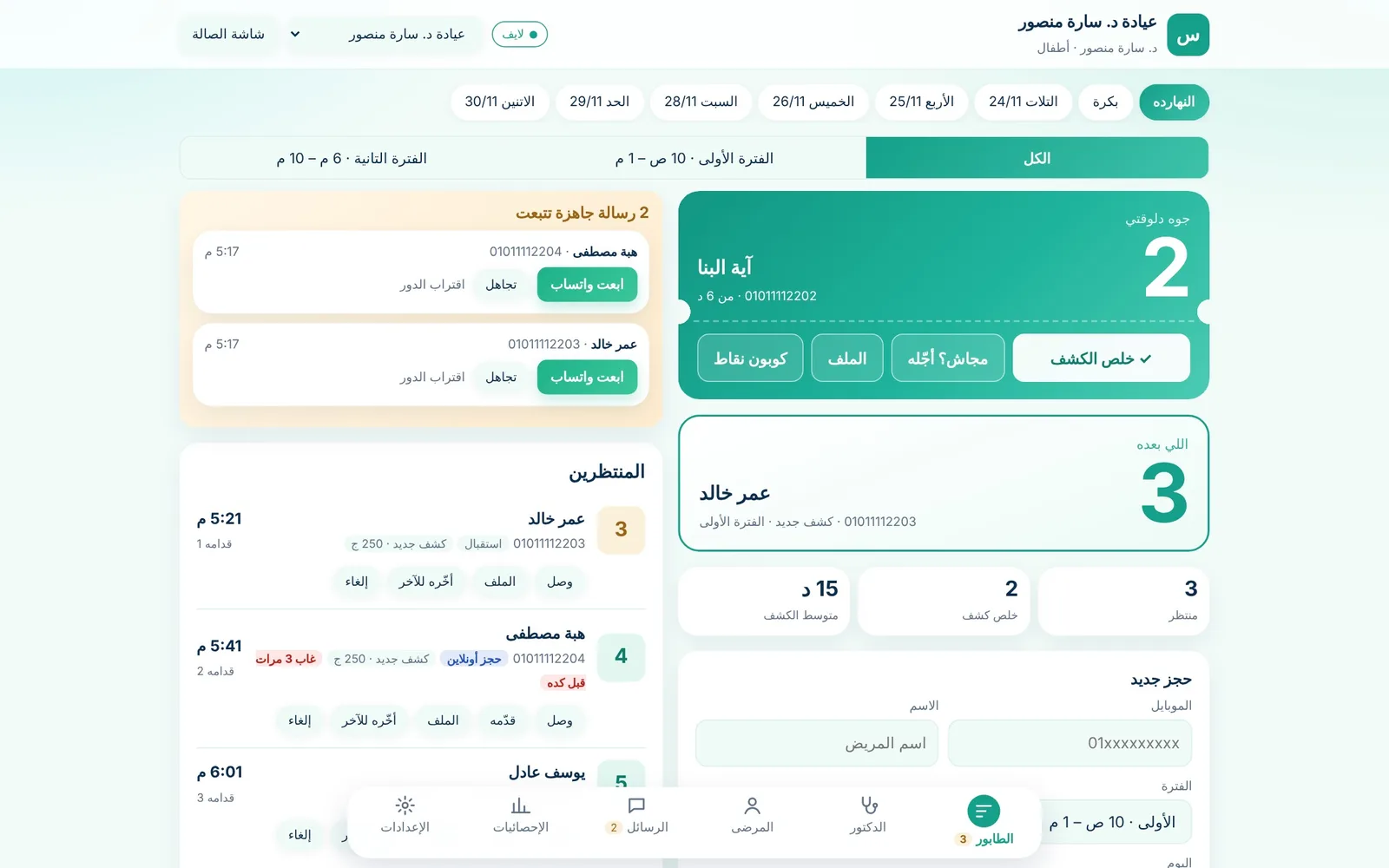
An organized queue, its own hours and prices, deposits via Vodafone Cash or InstaPay, follow-ups and stats.

Emergencies

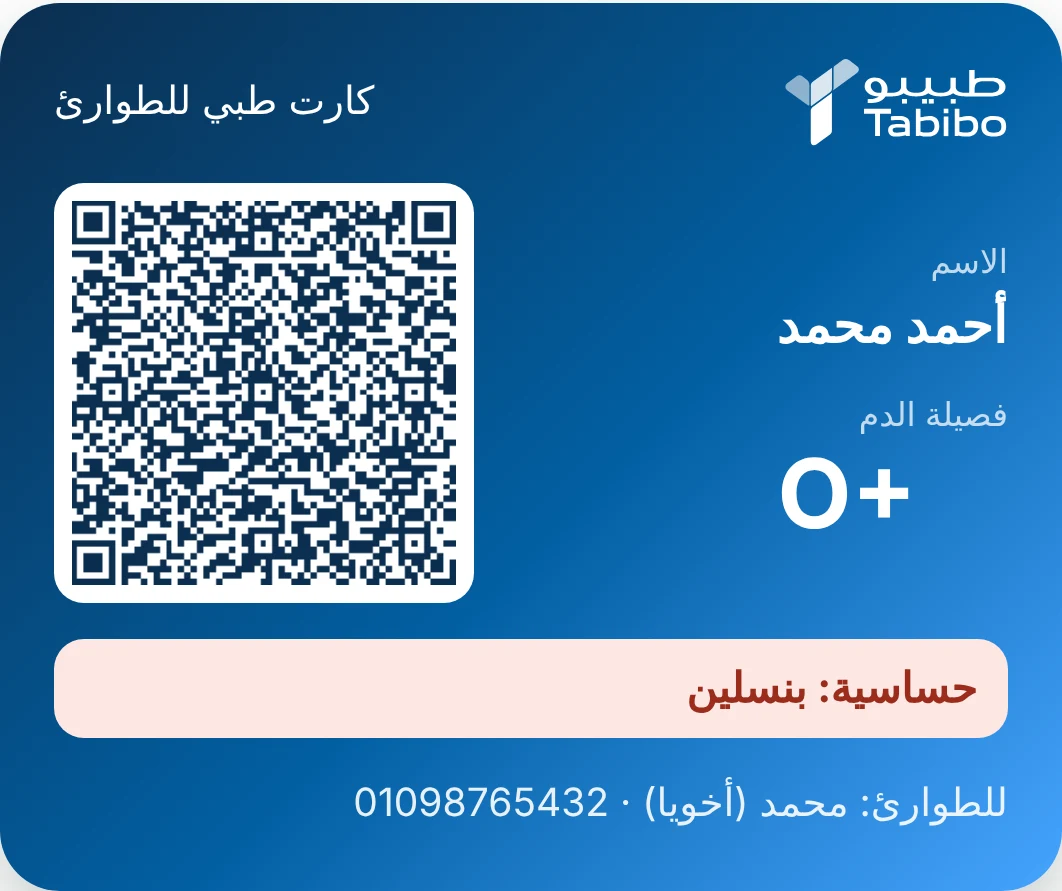
A QR or NFC card: any doctor who taps it sees blood type, allergies, medications and a family contact.

We help clinics organize their day,
and patients know their turn from home

No crowded waiting rooms, no paper notebooks, no lost prescriptions.

/01

Booked for five… in at five

ForPatient
Where in the appMy turn

The problem

You get to the clinic and it’s fully booked, or you wait for hours without knowing when it’s your turn.

With Tabibo

Book from home and see your number, how many are ahead of you, and your expected time, updated with every patient.

Your number6
Expected in6:08 PM
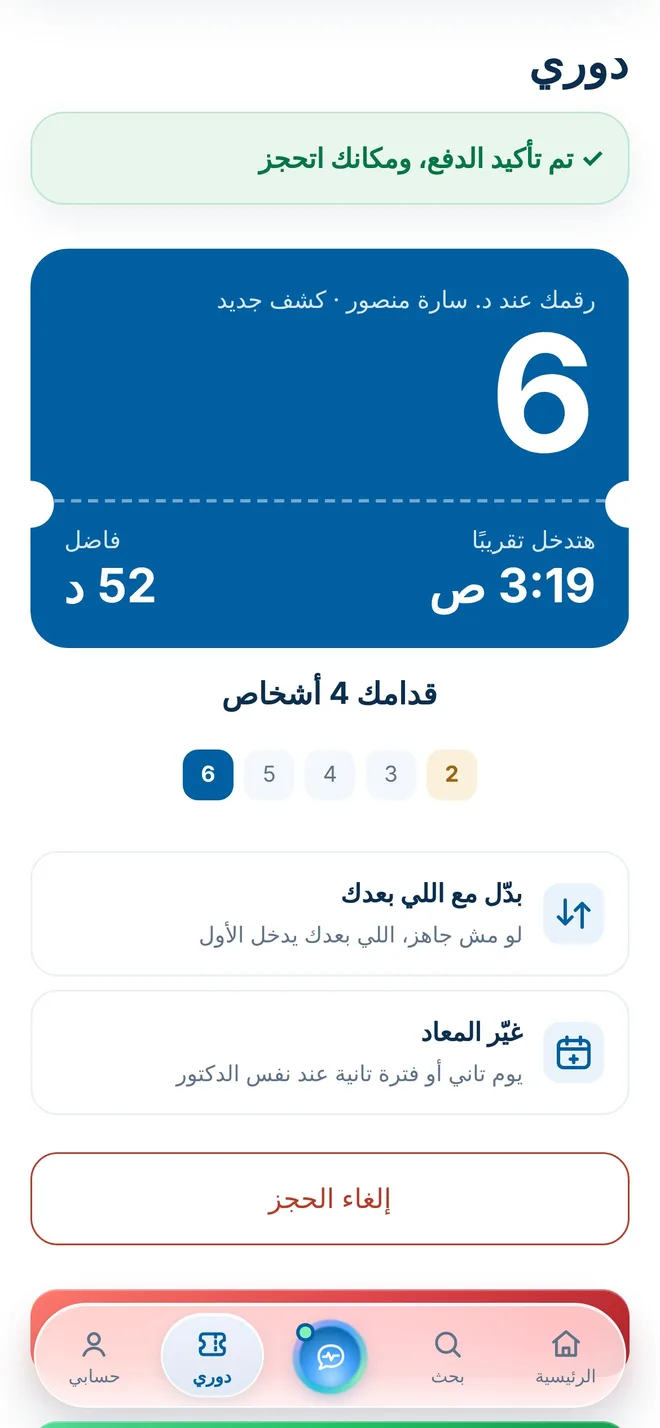
My turn screen in Tabibo
/02

Your medical history… in your pocket and your wallet

ForPatients & emergencies
Where in the appAccount → Emergency card

The problem

Someone asks your blood type and you don’t know. In an emergency, nobody knows what you’re allergic to.

“One scan, and the doctor sees your medical history in seconds, even if you can’t speak.”

CardQR & NFC
Blood typeO+
Medical emergency card
/03

A clinic dashboard… without the notebook

ForDoctor & receptionist
Works onPhone & computer
Register your clinic on Tabibo

The problem

Unanswered phones, a notebook full of crossed-out names, and patients who never came back for follow-up.

With Tabibo

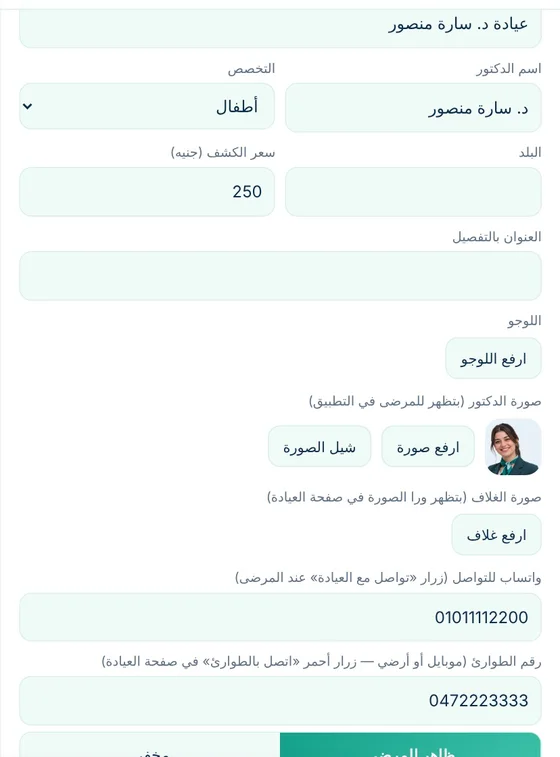
The receptionist calls the next patient in one tap, and the doctor’s prescription lands in the patient’s file. Your clinic page carries your logo, cover photo and color, and you control your hours, prices and offers.

ShiftsTwo shifts
DepositCash or InstaPay
Clinic identity: logo, doctor photo, cover and clinic color
Tabibo clinic dashboard
FAQ

Frequently asked questions

Does Tabibo cost anything?

No, the app is free for patients. You pay the clinic for the visit as usual, and some clinics ask for a small deposit to confirm the booking.

Do I need an account first?

No. Open the app and start right away. When you want your data on any phone, link your account to your number or email once.

How do I know when I’ll go in?

After booking you see your number, how many are ahead of you and your expected time, all updated live. You get a notification when your turn is near.

How is the deposit paid?

If the clinic asks for a deposit, you send it to the clinic’s own Vodafone Cash or InstaPay, and the clinic confirms your booking.

Who can see my medical data?

You, and the doctors you visit. Your emergency card shows only what you choose, and you can delete your account at any time.

I’m a doctor. How do I join?

Tap “Register your clinic”, create an account and add your clinic details. We review and activate it, then you add your own hours and prices.

A lab, radiology center, pharmacy, hospital or center?

Join the Tabibo network so your results and services reach patients and doctors on the same file.

Send a partnership request

Get Tabibo, and keep your health in your pocket

Open it on your phone and tap “Add to Home Screen”. It works like any app.

Open Tabibo now Google Play · soon App Store · soon
Scan the code